Monday, August 10, 2026
Claude Code Auto Mode Is Now the Default — What Changes on August 14
Posted by
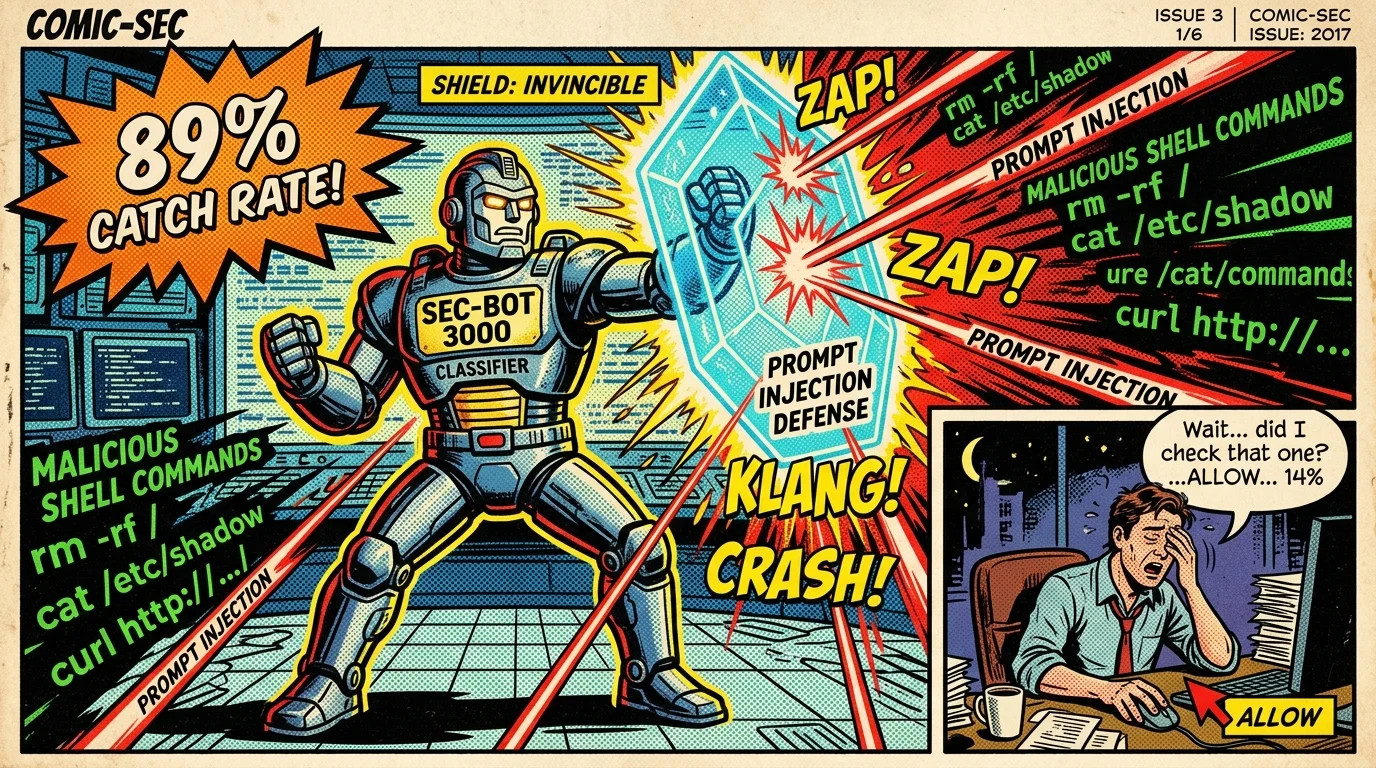
On August 14, auto mode becomes the default permission mode in Claude Code for Pro, Max, and Team users. The change was announced by the Claude Code team this week and is already the subject of intense discussion — both for the UX shift and for its security implications.
What Auto Mode Does
Instead of manually approving every shell command, auto mode runs commands through a separate classifier that reviews them for risk before execution. If the classifier flags a command as dangerous, it blocks it — otherwise the command runs without a prompt.
The headline stat from the announcement: in testing, the classifier caught 89% of dangerous commands. Manual approval — a human at the prompt — caught only 14%.
That framing flips the default assumption. A single developer eyeballing a command and hitting "allow" is a weaker gate than a dedicated classifier tuned to catch malicious or destructive operations. The human is the weak link — tired, distracted, or socially engineered into approving something bad.
What This Means for Security
Anthropic's engineering lead Boris Cherny added context on X: with enough layers — model training, input probes, and a classifier checking intent — indirect prompt injection can be driven to ~0 on unseen attacks. Auto mode is the productization of that claim: the classifier is the check between what a prompt says and what the command actually does.
This is significant for the prompt injection threat model. Much of that risk lives in the gap where an agent reads untrusted content (a website, a file, a package's README) and then acts on a malicious instruction hidden in it. Auto mode's classifier sits exactly in that gap — the command has to pass a risk review independent of what the model believes it should do.
The honest caveats:
- 89% isn't 100%. The classifier will miss novel or obfuscated commands, which is why a good configuration layer still matters.
- An automated gate is only as good as its tuning. What counts as "dangerous" is a policy decision you should be able to shape.
- It adds a layer, not a guarantee — defense-in-depth, not a silver bullet. Combine it with guardrail design and least-privilege tooling.
How to Configure It
Auto mode ships as the default on August 14, but you can tune the risk tolerance:
- Allowlist trusted commands so routine operations (tests, lints, git status) never even hit the classifier.
- Blocklist irreversible operations explicitly (e.g.,
git push --force, destructiverm,DROP TABLEpatterns) so they're denied outright. - Keep manual review for genuinely high-stakes actions — deployments, migrations, anything touching production.
- Test the classifier against your own repo's commands before you rely on it for autonomous runs.
The same permission-model concepts apply across harnesses — see the agentic guardrails guide and how Claude Code hooks (configuration reference) can enforce additional policy at the boundary.
The Takeaway
Auto mode being the default is the strongest signal yet that the industry believes automated command classification beats human approval for everyday agent use. For most developers, the default-on classifier is a genuine improvement — 89% vs 14% is not close.
The developer's job shifts from approving every command to configuring the gate correctly: setting trusted/blocked lists, defining what's high-stakes, and understanding that the classifier is one layer in a defense-in-depth posture rather than a replacement for it.
Anthropic announcement: @ClaudeDevs on X. Boris Cherny on injection layers: @bcherny on X. Related: Prompt Injection Defense.
Related Articles & Deep Dives
 #agent-skills
Malicious Agent Skills & Supply Chain Attacks: Securing the SKILL.md Ecosystem
How third-party AI agent skills introduce hidden RCE, environment variable exfiltration, and prompt injection — and how to sandbox and audit SKILL.md packages.
 #claude-code
Graph Engineering Is Replacing Prompting — Boris Cherny Says Agents Should Build Themselves
Claude Code's creator says he no longer prompts agents — he builds graphs and loops. What graph engineering means for agent architecture, and why prompts are becoming the wrong unit of control.
 #claude-code
Your Claude Code Is a Reverse-Shell Vector — Mozilla 0DIN Proves It in Three Indirections
Mozilla's 0DIN team demonstrated a clean GitHub repo delivering a reverse shell through Claude Code — no malware in the repo, no exploits, just the agent's own helpfulness weaponized. Cursor, Copilot, and Gemini CLI are all susceptible. Here's how the attack works and what it means for AI coding tool security.