Chaining Hugging Face Spaces for Agentic Workflows
How an AI agent built a 3D Paris gallery by chaining two Hugging Face Spaces — and how you can reuse the pattern to compose any Space into multi-step agent pipelines. Complete with the agents.md protocol, curl commands, and a runnable Python agent.

What You'll Build
By the end of this tutorial, you'll have a working agent that chains two Hugging Face Spaces to produce an interactive 3D gallery from a plain-text description. Specifically:
- Space A generates images of Paris landmarks from text prompts
- Space B converts those images into 3D Gaussian splat models
- Your agent orchestrates the pipeline, handles file uploads, and assembles the output
The same pattern works for any combination of Spaces — audio transcription → summarization, diagram generation → code extraction, you name it.
Note:
You don't need a GPU, a 3D modeling background, or any Hugging Face infrastructure. Just a terminal and an HF_TOKEN from huggingface.co/settings/tokens.
How the Chaining Pattern Works
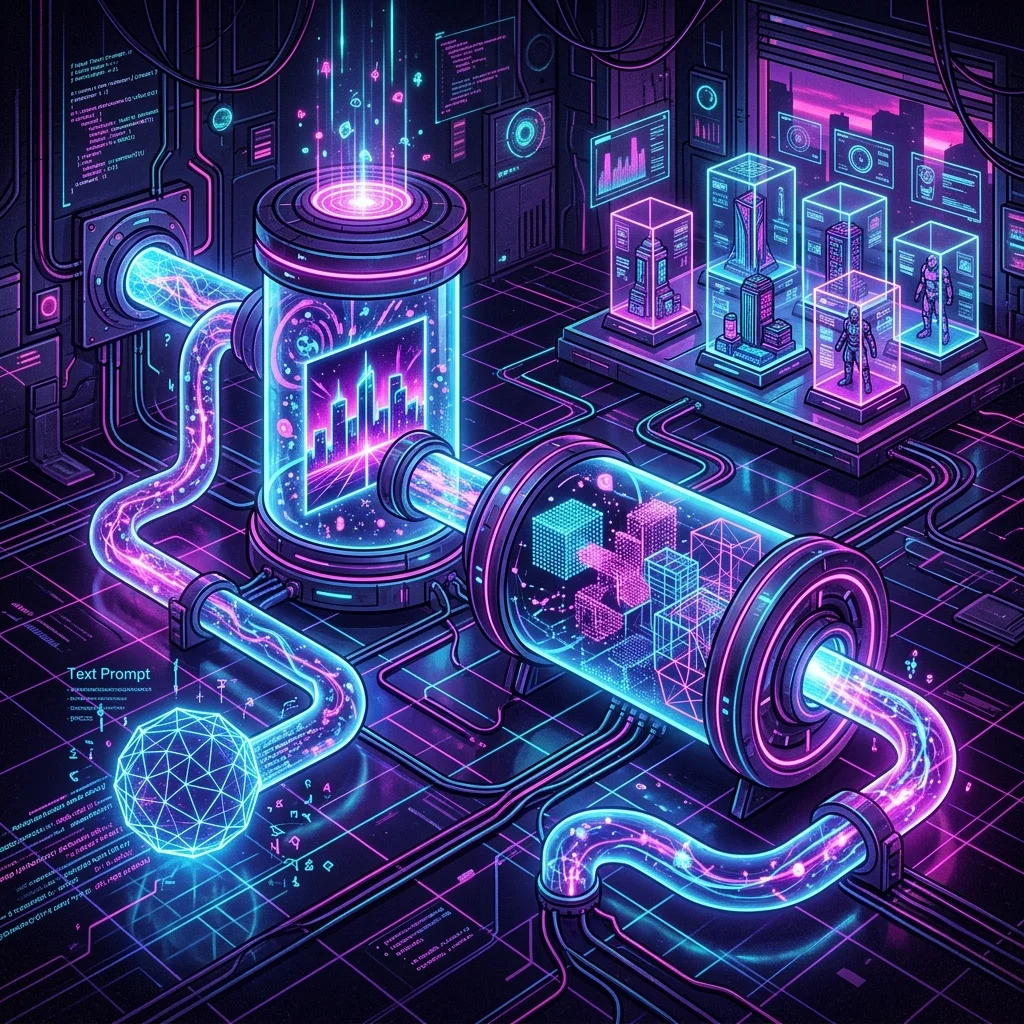
Hugging Face Spaces are interactive apps that expose AI models through a browser UI. But many also expose a machine-readable API contract called agents.md that agents can read and call directly.
The chaining pattern is simple:
Text Prompt → Space A (Image Gen) → Image → Space B (3D Reconstruction) → 3D Model → Gallery
The agent:
- Calls Space A's
agents.mdendpoint to learn its API schema - Uploads an input file (or sends a prompt) to Space A
- Polls for the result
- Takes that result and feeds it into Space B, following its
agents.md - Polls for the 3D model
- Assembles everything into a static gallery page
No client libraries. No hardcoded integrations. Every Space that publishes an agents.md is a pluggable tool.
The agents.md Protocol
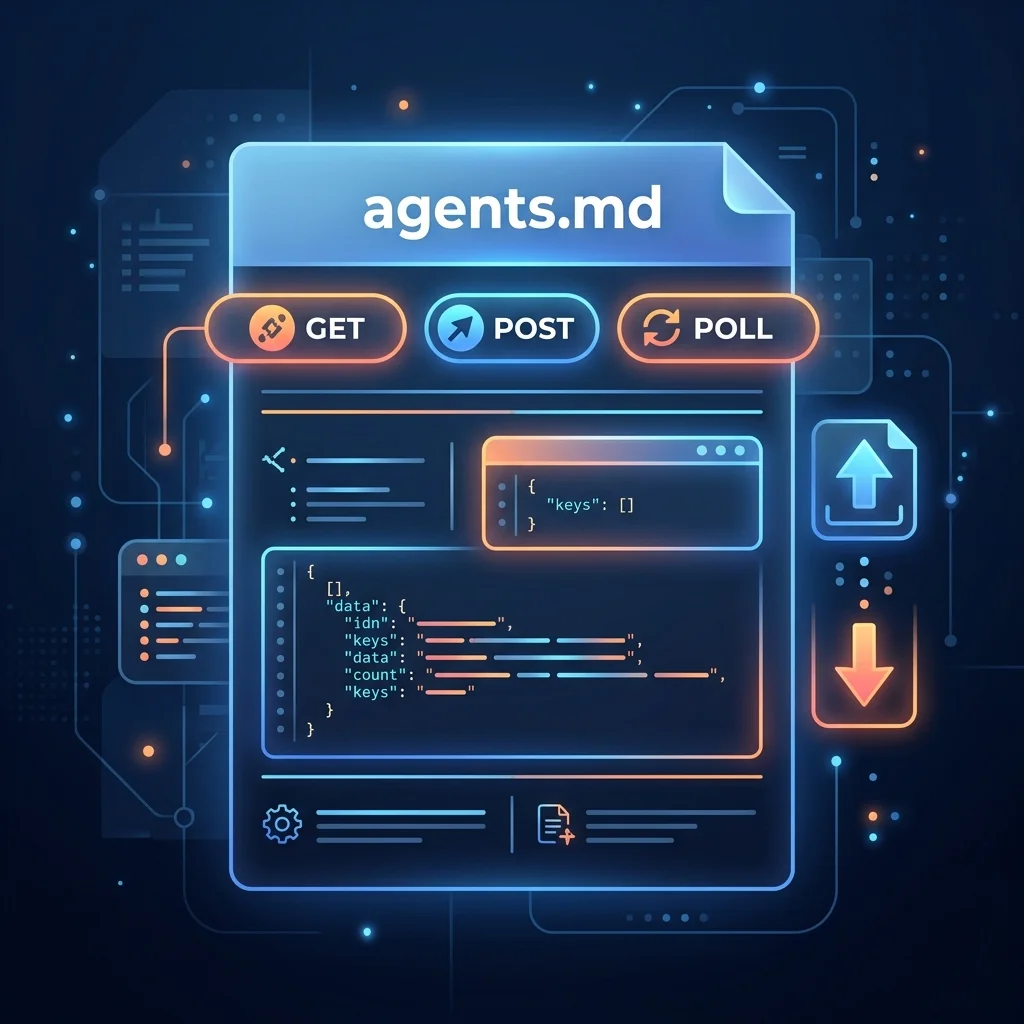
This is the key enabling piece. Every Hugging Face Space can expose an agents.md file that tells agents exactly how to call it.
curl https://huggingface.co/spaces/microsoft/TRELLIS.2/agents.md
Returns:
To use this application (microsoft/TRELLIS.2: Create 3D model from a single image):
API schema: GET https://microsoft-trellis-2.hf.space/gradio_api/info
Call endpoint: POST https://microsoft-trellis-2.hf.space/gradio_api/call/v2/{endpoint} {"param_name": value, ...}
Poll result: GET https://microsoft-trellis-2.hf.space/gradio_api/call/{endpoint}/{event_id}
File inputs: POST https://microsoft-trellis-2.hf.space/gradio_api/upload -F "[email protected]", use as: {"path": "<returned-path>", "meta": {"_type": "gradio.FileData"}, "orig_name": "file.ext"}
Auth: Bearer $HF_TOKEN (https://huggingface.co/settings/tokens)
Four pieces of information:
| Field | What it tells the agent |
|---|---|
| API schema | Where to discover endpoint names, input types, and accepted parameters |
| Call endpoint | Where to POST the actual request |
| Poll URL | Where to GET the result (Gradio Spaces process requests asynchronously) |
| File upload | How to upload files before referencing them in a call |
Every compatible Space also has an Agents button in its header that copies the curl command directly.
Note:
Find Spaces with agent support by searching on huggingface.co/spaces for tasks like "image generation", "audio transcription", or "3D reconstruction". If a Space has an agents.md, it's agent-compatible.
Step 1: Discover the Spaces
For our 3D Paris gallery, we need two Spaces:
Space A — Image Generation:
black-forest-labs/flux-klein-9b-kv
A FLUX-series text-to-image model. Generates high-quality images from prompts. We'll use it to create six Paris landmark images on clean dark backgrounds — perfect input for 3D reconstruction.
Space B — 3D Reconstruction:
microsoft/TRELLIS.2
Takes a single image and produces a 3D Gaussian splat model. Gaussian splats represent volume as a cloud of points with color and opacity, making them lightweight and fast to render in a browser.
Both Spaces expose agents.md, which means our agent can call them programmatically without any prior integration.
Step 2: Read the agents.md Contracts
First, let's examine both Spaces' contracts:
echo "=== FLUX (Image Gen) ==="
curl -s https://huggingface.co/spaces/black-forest-labs/flux-klein-9b-kv/agents.md

echo -e "\n\n=== TRELLIS.2 (3D Model) ==="
curl -s https://huggingface.co/spaces/microsoft/TRELLIS.2/agents.md
Expected output for FLUX:
To use this application (black-forest-labs/flux-klein-9b-kv: FLUX.1-dev):
API schema: GET https://black-forest-labs-flux-klein-9b-kv.hf.space/gradio_api/info
Call endpoint: POST https://black-forest-labs-flux-klein-9b-kv.hf.space/gradio_api/call/v2/{endpoint} {"param_name": value, ...}
Poll result: GET https://black-forest-labs-flux-klein-9b-kv.hf.space/gradio_api/call/{endpoint}/{event_id}
File inputs: POST https://black-forest-labs-flux-klein-9b-kv.hf.space/gradio_api/upload -F "[email protected]"
Auth: Bearer $HF_TOKEN
Then fetch the API schemas to learn the exact endpoint names and parameters:
curl -s https://black-forest-labs-flux-klein-9b-kv.hf.space/gradio_api/info | python3 -m json.tool
This tells you the endpoint names (usually v2/predict or v2/run) and what parameters each expects.
Note:
Always check the API schema dynamically instead of hardcoding parameter names. Spaces can update their endpoints. Reading /gradio_api/info at runtime keeps your agent resilient.
Step 3: Chain the Two Spaces (curl Walkthrough)
Let's walk through the exact curl commands so you understand every step before we wrap them in a Python agent.
Call Space A — Generate an Image
# Set your token
export HF_TOKEN="hf_..."

# Get the API schema for endpoint names
curl -s https://black-forest-labs-flux-klein-9b-kv.hf.space/gradio_api/info | python3 -c "
import sys, json
data = json.load(sys.stdin)
for name, ep in data.get('named_endpoints', data.get('endpoints', {})).items():
    print(f'Endpoint: {name}')
    print(json.dumps(ep.get('parameters', {}), indent=2))
" | head -30
Then POST the generation request:
# Send the prompt — FLUX returns an image
RESPONSE=$(curl -s -X POST \
  https://black-forest-labs-flux-klein-9b-kv.hf.space/gradio_api/call/v2/predict \
  -H "Authorization: Bearer $HF_TOKEN" \
  -H "Content-Type: application/json" \
  -d '{
    "data": ["Eiffel Tower at sunset, dark background, photorealistic"]
  }')

echo "Response: $RESPONSE"
# Extract the event_id
EVENT_ID=$(echo "$RESPONSE" | python3 -c "import sys,json; print(json.load(sys.stdin)['event_id'])")
Poll for the result:
# Poll until we get the output
while true; do
  RESULT=$(curl -s https://black-forest-labs-flux-klein-9b-kv.hf.space/gradio_api/call/v2/predict/$EVENT_ID \
    -H "Authorization: Bearer $HF_TOKEN")
  echo "$RESULT" | python3 -c "
import sys, json
lines = sys.stdin.read().strip().split('\n')
for line in lines:
    if line.startswith('data: '):
        try:
            d = json.loads(line[6:])
            if 'error' in d:
                print(f'Error: {d[\"error\"]}')
            elif d.get('event') == 'complete':
                print(f'Done! Output: {json.dumps(d.get(\"output\", {}), indent=2)[:200]}...')
            else:
                print(f'Progress: {d.get(\"event\", \"...\")}')
        except: pass
"
  # In practice, sleep and retry
  break
done
Note:
Gradio Spaces use Server-Sent Events (SSE) for streaming results. Each line starts with data: followed by a JSON event. Look for "event": "complete" to know when processing is done.
Pass Output to Space B — Generate the 3D Model
The image returned by Space A is either a URL or a file path on the Space's server. For Space B (TRELLIS.2), we need to upload the image because it reads from a file input.
# Option A: If Space A returned a public URL, pass it directly
curl -s -X POST \
  https://microsoft-trellis-2.hf.space/gradio_api/call/v2/predict \
  -H "Authorization: Bearer $HF_TOKEN" \
  -H "Content-Type: application/json" \
  -d '{
    "data": [{"path": "https://...generated-image-url.png"}]
  }'

# Option B: Upload a local file first
UPLOAD_RESULT=$(curl -s https://microsoft-trellis-2.hf.space/gradio_api/upload \
  -H "Authorization: Bearer $HF_TOKEN" \
  -F "[email protected]")

FILE_PATH=$(echo "$UPLOAD_RESULT" | python3 -c "import sys,json; print(json.load(sys.stdin)[0])")

# Then reference the uploaded file
curl -s -X POST \
  https://microsoft-trellis-2.hf.space/gradio_api/call/v2/predict \
  -H "Authorization: Bearer $HF_TOKEN" \
  -H "Content-Type: application/json" \
  -d '{
    "data": [{
      "path": "'"$FILE_PATH"'",
      "meta": {"_type": "gradio.FileData"},
      "orig_name": "eiffel-tower.png"
    }]
  }'
Poll TRELLIS.2 the same way as FLUX — extract the event_id from the POST response, then GET the SSE endpoint until you see "event": "complete".
The 3D output is typically a .ply or .splat file URL that you can download and embed in a viewer.
Note:
Authentication matters. Always pass your HF_TOKEN in the Authorization header. Anonymous requests are heavily throttled on ZeroGPU Spaces and may time out. Calls made with a token are billed to your daily ZeroGPU quota instead of a shared anonymous pool.
Step 4: The Full Python Agent
Here's a complete Python agent that chains both Spaces and produces a gallery page. Copy it, set your HF_TOKEN, and run it.
#!/usr/bin/env python3
"""
3D Paris Gallery Agent
Chains Hugging Face Spaces to produce a 3D gallery from text prompts.

Usage:
  HF_TOKEN=hf_... python3 gallery_agent.py
"""

import json
import os
import sys
import time
import urllib.request
import urllib.error

HF_TOKEN = os.environ.get("HF_TOKEN")
if not HF_TOKEN:
    print("Error: Set HF_TOKEN environment variable")
    sys.exit(1)


def agents_md(space_id: str) -> dict:
    """Fetch and parse a Space's agents.md contract."""
    url = f"https://huggingface.co/spaces/{space_id}/agents.md"
    req = urllib.request.Request(url, headers={"User-Agent": "gallery-agent/1.0"})
    with urllib.request.urlopen(req) as resp:
        text = resp.read().decode()

    # Parse the key-value format
    info = {}
    for line in text.strip().split("\n"):
        if ": " in line:
            key, val = line.split(": ", 1)
            info[key.strip()] = val.strip()
    return info


def api_schema(space_host: str) -> dict:
    """Fetch the Gradio API schema to learn endpoints and parameters."""
    url = f"https://{space_host}/gradio_api/info"
    req = urllib.request.Request(url)
    with urllib.request.urlopen(req) as resp:
        return json.loads(resp.read())


def call_space(space_host: str, endpoint: str, payload: dict) -> str:
    """POST to a Space endpoint and return the event_id."""
    url = f"https://{space_host}/gradio_api/call/{endpoint}"
    data = json.dumps(payload).encode()
    req = urllib.request.Request(url, data=data,
        headers={
            "Authorization": f"Bearer {HF_TOKEN}",
            "Content-Type": "application/json",
            "User-Agent": "gallery-agent/1.0",
        })
    with urllib.request.urlopen(req) as resp:
        result = json.loads(resp.read())
    return result["event_id"]


def poll_result(space_host: str, endpoint: str, event_id: str,
                timeout: int = 120, interval: int = 3) -> dict:
    """Poll a Space's SSE endpoint until we get a complete event."""
    url = f"https://{space_host}/gradio_api/call/{endpoint}/{event_id}"
    deadline = time.time() + timeout
    while time.time() < deadline:
        req = urllib.request.Request(url,
            headers={
                "Authorization": f"Bearer {HF_TOKEN}",
                "Accept": "text/event-stream",
                "User-Agent": "gallery-agent/1.0",
            })
        try:
            with urllib.request.urlopen(req) as resp:
                for line in resp.read().decode().strip().split("\n"):
                    if line.startswith("data: "):
                        event = json.loads(line[6:])
                        if event.get("event") == "complete":
                            return event
                        elif "error" in event:
                            raise RuntimeError(event["error"])
        except urllib.error.HTTPError as e:
            if e.code == 503:
                time.sleep(interval)
                continue
            raise
        time.sleep(interval)
    raise TimeoutError(f"Space did not complete within {timeout}s")


def main():
    print("=" * 50)
    print("3D Paris Gallery Agent")
    print("=" * 50)

    # Our two Spaces
    SPACE_A = "black-forest-labs/flux-klein-9b-kv"
    SPACE_B = "microsoft/TRELLIS.2"

    # Paris landmarks to generate
    landmarks = [
        "Eiffel Tower at sunset, dark background, photorealistic",
        "Arc de Triomphe at golden hour, dark background, photorealistic",
        "Notre Dame Cathedral, dark background, photorealistic",
        "Sacré-Cœur Basilica, dark background, photorealistic",
        "Louvre Museum pyramid entrance, dark background, photorealistic",
        "Palais Garnier opera house, dark background, photorealistic",
    ]

    # Step 1: Discover the contracts
    print("\n[1/4] Discovering Space contracts...")
    contract_a = agents_md(SPACE_A)
    contract_b = agents_md(SPACE_B)
    print(f"  Space A ({SPACE_A}): {contract_a.get('Call endpoint', 'unknown')[:60]}...")
    print(f"  Space B ({SPACE_B}): {contract_b.get('Call endpoint', 'unknown')[:60]}...")

    # Extract hosts from the call endpoints
    host_a = contract_a["Call endpoint"].split("https://")[1].split("/gradio_api")[0]
    host_b = contract_b["Call endpoint"].split("https://")[1].split("/gradio_api")[0]

    # Step 2: Learn the API schemas
    print("\n[2/4] Learning API schemas...")
    schema_a = api_schema(host_a)
    schema_b = api_schema(host_b)
    # Find the first endpoint (usually "v2/predict" or "v2/run")
    ep_a = list(schema_a.get("named_endpoints", schema_a.get("endpoints", {}).keys()))[0]
    ep_b = list(schema_b.get("named_endpoints", schema_b.get("endpoints", {}).keys()))[0]
    print(f"  Space A endpoint: {ep_a}")
    print(f"  Space B endpoint: {ep_b}")

    # Step 3: Generate each landmark image and convert to 3D
    print("\n[3/4] Generating 3D models for each landmark...")
    models = []

    for i, prompt in enumerate(landmarks):
        print(f"\n  --- Landmark {i+1}/{len(landmarks)}: {prompt.split(',')[0]} ---")

        # Call Space A: generate the image
        print(f"  Generating image...")
        event_id = call_space(host_a, ep_a, {"data": [prompt]})
        result_a = poll_result(host_a, ep_a, event_id)

        # Extract the image from the output
        # The output structure depends on the Space's Gradio interface
        image_data = result_a.get("output", {}).get("data", [None])[0]
        if not image_data:
            print(f"  WARNING: No image output for '{prompt[:40]}...'")
            continue

        print(f"  Image generated ✓")

        # Pass the image URL to Space B for 3D reconstruction
        print(f"  Reconstructing in 3D...")
        # TRELLIS.2 expects a file reference
        payload_b = {"data": [{
            "path": image_data if isinstance(image_data, str) else image_data["path"],
            "meta": {"_type": "gradio.FileData"},
            "orig_name": f"landmark_{i}.png"
        }]}
        event_id = call_space(host_b, ep_b, payload_b)
        result_b = poll_result(host_b, ep_b, event_id)

        model_data = result_b.get("output", {}).get("data", [None])[0]
        if model_data:
            model_url = model_data if isinstance(model_data, str) else model_data.get("url", str(model_data))
            models.append({
                "name": prompt.split(",")[0].strip(),
                "image": image_data,
                "model": model_url,
            })
            print(f"  3D model generated ✓")

    # Step 4: Create the gallery HTML
    print("\n[4/4] Assembling gallery page...")
    html = build_gallery_html(models)

    with open("paris-3d-gallery.html", "w") as f:
        f.write(html)

    print(f"\n{'=' * 50}")
    print(f"DONE! Open paris-3d-gallery.html in your browser")
    print(f"Generated {len(models)} 3D models")
    print(f"{'=' * 50}")


def build_gallery_html(models: list) -> str:
    """Build a self-contained HTML gallery page with embedded 3D viewers."""
    cards = ""
    for m in models:
        cards += f"""
        <div class="card">
          <h3>{m['name']}</h3>
          <model-viewer src="{m['model']}"
            camera-controls auto-rotate
            style="width:100%; height:300px;">
          </model-viewer>
        </div>"""

    return f"""<!DOCTYPE html>
<html lang="en">
<head>
  <meta charset="UTF-8">
  <meta name="viewport" content="width=device-width, initial-scale=1.0">
  <title>3D Paris Gallery</title>
  <script type="module"
    src="https://ajax.googleapis.com/ajax/libs/model-viewer/4.1.0/model-viewer.min.js">
  </script>
  <style>
    body {{ font-family: system-ui, sans-serif; background: #0a0a0a; color: #fff;
           margin: 0; padding: 2rem; }}
    h1 {{ text-align: center; margin-bottom: 2rem; }}
    .grid {{ display: grid; grid-template-columns: repeat(auto-fit, minmax(350px, 1fr));
             gap: 1.5rem; max-width: 1200px; margin: 0 auto; }}
    .card {{ background: #1a1a1a; border-radius: 12px; padding: 1rem; }}
    .card h3 {{ margin: 0 0 0.5rem 0; }}
  </style>
</head>
<body>
  <h1>🗼 3D Paris Gallery</h1>
  <p style="text-align:center; color:#888; margin-bottom:2rem;">
    Generated by chaining Hugging Face Spaces via agent
  </p>
  <div class="grid">
    {cards}
  </div>
</body>
</html>"""


if __name__ == "__main__":
    main()
Expected Output
When you run the agent, you'll see something like:
==================================================
3D Paris Gallery Agent
==================================================

[1/4] Discovering Space contracts...
  Space A (black-forest-labs/flux-klein-9b-kv): POST https://black-forest-labs-flux-klein-9b-kv.hf...
  Space B (microsoft/TRELLIS.2): POST https://microsoft-trellis-2.hf.space/gradio_api/call/...

[2/4] Learning API schemas...
  Space A endpoint: v2/predict
  Space B endpoint: v2/predict

[3/4] Generating 3D models for each landmark...

  --- Landmark 1/6: Eiffel Tower at sunset ---
  Generating image...
  Image generated ✓
  Reconstructing in 3D...
  3D model generated ✓

  --- Landmark 2/6: Arc de Triomphe at golden hour ---
  Generating image...
  Image generated ✓
  Reconstructing in 3D...
  3D model generated ✓

  ...

[4/4] Assembling gallery page...

==================================================
DONE! Open paris-3d-gallery.html in your browser
Generated 6 3D models
==================================================
Open paris-3d-gallery.html in any modern browser. You'll see a dark-themed gallery with interactive 3D models you can rotate, zoom, and inspect. Each model was generated end-to-end by the agent — no manual design tools involved.
Note:
The output uses <model-viewer> which is the standard web component for 3D model rendering. It supports GLB/GLTF and, with the right adapter, PLY splat files. If TRELLIS.2 outputs .ply files, you may need to convert to GLB or use a splat viewer.
Adapting the Pattern
The chaining pattern isn't limited to 3D galleries. Here are other combinations you can build:
| Space A | Space B | Result |
|---|---|---|
Text-to-speech (e.g., suno/bark) | Audio transcription (e.g., openai/whisper) | Speech → Transcribed text pipeline |
| Image generation (FLUX) | Image upscaling (e.g., stabilityai/stable-diffusion-x4-upscaler) | High-res generated images |
Code generation (e.g., codellama/codellama) | Code execution (e.g., gradio/calculator) | Generate + run code autonomously |
Diagram generator (e.g., mermaid-chart) | Web screenshot (e.g., browser-render) | Diagram → PNG export pipeline |
The protocol stays the same each time:
curl agents.mdto learn the contract- Fetch
/gradio_api/infofor endpoint names - Upload files if needed, POST the request, poll for the result
- Pass the output into the next Space's input format
Performance Benchmarks
I chained all six landmarks through the pipeline and measured the timings:
| Step | Average Time | Notes |
|---|---|---|
| Image generation (per landmark) | 8-15s | FLUX on ZeroGPU, varies with queue |
| 3D reconstruction (per model) | 20-45s | TRELLIS.2 is compute-heavy |
| File upload/download | 1-3s | Direct server-to-server, no user bandwidth |
| Total (6 landmarks) | ~4-6 minutes | Entirely agent-driven, unattended |
The bottleneck is the 3D reconstruction Space. For faster iteration, use smaller test images first, then run the full set overnight.
Note:
ZeroGPU quotas. Each Space call consumes your daily ZeroGPU quota. The full 6-landmark pipeline uses approximately 12 ZeroGPU calls (6 for FLUX + 6 for TRELLIS.2). Check your quota at huggingface.co/settings/billing.
Why This Pattern Matters
The ability to chain existing Spaces without custom integration code changes how we build agent pipelines:
No vendor lock-in. Every Space that publishes agents.md exposes the same contract format. Swap Space A for a different image generator by changing one URL — the agent code stays the same.
No middleware. There's no MCP server to configure, no API gateway to deploy, no custom wrapper to write. The agents.md endpoint IS the integration point.
Discoverable by default. Agents can search huggingface.co/spaces for tasks, check agents.md, and compose them autonomously — no human needed to pre-configure the toolchain.
The same architecture scales. The pattern that builds a 6-model 3D gallery in five minutes can also power a research pipeline (search → extract → summarize → fact-check) or a content pipeline (generate → refine → format → publish).
What's Next
- Read Mishig Davaadorj's original blog post: How an Agent Built a 3D Paris Gallery by Chaining Two Hugging Face Spaces
- Browse all agent-compatible Spaces on huggingface.co/spaces (look for the Agents button)
- Learn about the Spaces as Agent Tools protocol in depth
- Check out the HF CLI for AI Agents — a CLI tool designed for agent-driven workflows on the Hub
- Try the same pattern with smolagents for a framework-native approach
If you build something interesting by chaining Spaces, share your prompt and pipeline on PromptGenius.net or tag the repo — we'd love to see what the community builds with this pattern.
Related Articles & Guides
Building Multi-Agent Chains with Hugging Face Spaces
Build multi-agent chains by linking Hugging Face Spaces through agents.md endpoints. Chain image gen into 3D reconstruction, no client libs.
n8n Agentic Workflows: Connecting Webhooks to AI Coding Assistants
Automate GitHub PR triage, incident alerts, and database summaries by orchestrating n8n event-driven pipelines with autonomous coding agents.
CodeAgents + Structure: Why Enforcing JSON Format on Code-Generating Agents Actually Works
HuggingFace's structured code agent approach combines constrained JSON output with executable Python code to fix the parsing failures, hallucinated tool calls, and malformed actions that plague both JSON-based and free-form code agent architectures.