AI Coding Tool Comparison — Which One Should You Use?
Detailed comparison of Claude Code, OpenCode, Gemini CLI, Cursor, GitHub Copilot, jcode, and pi. Pricing, context windows, MCP support, prompt patterns, and decision guide for every stack.
AI Coding Tool Comparison
Five major AI coding tools. One guide to help you choose — or use multiple for different tasks.
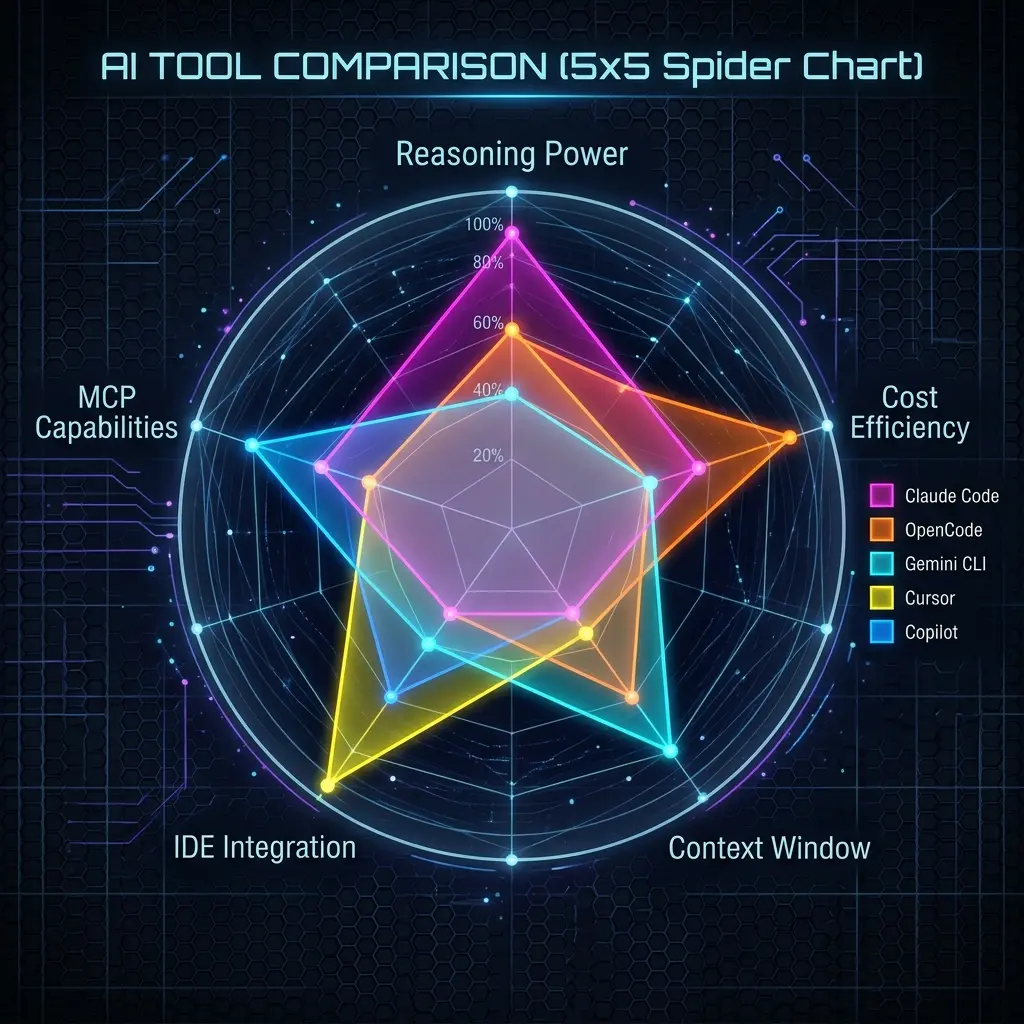
Quick Comparison Matrix
| Claude Code | OpenCode | Gemini CLI | Cursor | Copilot | |
|---|---|---|---|---|---|
| Price | Pay-per-token (API) | Free / $10 / $20 | Free (experimental) | $20/mo (Pro) | Free / $10/mo |
| Context | 200K | Provider-dependent | 1M+ | 200K | 32K |
| MCP | Full | Full | Full | Partial | Minimal |
| System Prompt | CLAUDE.md | AGENTS.md | GEMINI.md | .cursorrules | copilot-instructions.md |
| Agent Mode | Yes | Yes | Yes (Ralph) | Yes | Yes |
| Terminal-only | Yes | Yes | Yes | No (IDE) | No (IDE) |
| Multi-Provider | No (Anthropic) | Yes (75+) | No (Gemini) | Yes (limited) | No (OpenAI) |
| Extended Thinking | Yes | Provider-dep. | Yes | Limited | No |
| Browser Integration | No | No | Extensions | No | No |
By Use Case
Complex Reasoning & Architecture
Best: Claude Code — Sonnet 4's reasoning is the best in class. Extended thinking mode for architecture decisions. CLAUDE.md hooks for validation.
Also good: OpenCode + Claude Sonnet. Same model, more flexibility.
Budget-Conscious Development
Best: OpenCode + DeepSeek V4 — Switch to DeepSeek for routine coding at 95% lower cost. Keep Anthropic for hard problems only.
Also good: Gemini CLI — free, large context. Good for codebase analysis and documentation.
Google Ecosystem Users
Best: Gemini CLI — Google Drive, Gmail, Calendar, Sheets extensions. 1M context reads your entire codebase.
IDE-First Development
Best: Cursor or Copilot — Full IDE integration. Inline editing, tab completions, visual diffs.
Pick Cursor if: You want the best AI IDE experience, use .cursorrules, and don't mind $20/mo.
Pick Copilot if: You're in the Microsoft ecosystem, use GitHub heavily, want PR/issue integration.
Maximum Flexibility
Best: OpenCode — 75+ providers, switch mid-session, custom skills. Use Claude for reasoning, Gemini for context, DeepSeek for generation.
Enterprise/Security
Best: Copilot or Claude Code — Both have enterprise compliance. Copilot integrates with GitHub Enterprise. Claude Code's hooks can enforce security policies.
Terminal Harness Face-Off: jcode vs pi vs opencode
Beyond the IDE tools, a new class of minimal terminal harnesses — jcode, pi, and opencode — compete directly with Claude Code. They share a design: terminal-first, fast, opinionated, multi-provider. Where they differ is what they include by default.
| jcode | pi | OpenCode | |
|---|---|---|---|
| Language | Rust | Rust | TypeScript |
| License | MIT | MIT | MIT |
| Extra RAM per session | ~10.4 MB | ~76.5 MB | ~318.4 MB |
| Time to first input | 48.7 ms | 596.4 ms | 1047.9 ms |
| Built-in memory | Yes (semantic graph) | No (extension) | Partial (skills) |
| Swarms / sub-agents | Built-in (swarm) | No (extension) | No (provider-based) |
| Plan mode | Via todos | No (extension) | Yes (/plan) |
| MCP | On-disk schema cache, warm cache | No (extension) | Full |
| Background tasks | Built-in | No (extension) | No |
| Self-dev mode | Yes (edits own source) | No | No |
| Philosophy | Full-featured harness, RAM-optimized | Minimal core, everything is an extension | Multi-provider workhorse with skills |
- Pick jcode if you want the most capable default harness — memory, swarms, background tasks — and plan to run many parallel sessions on consumer hardware.
- Pick pi if you want a ~300-word system prompt and exactly four built-in tools, and prefer to assemble MCP, sub-agents, and permissions yourself via packages.
- Pick opencode if you want a mature multi-provider agent with
/plan,/skill, and mid-session provider switching across 75+ providers.
All three accept the same AGENTS.md conventions and any OpenAI-compatible provider, so migrating between them is cheap.
When to Use Multiple Tools
Most experienced developers use 2-3 tools:
| Task | Best Tool | Why |
|---|---|---|
| Architecture design | Claude Code | Best reasoning, extended thinking |
| Multi-file refactors | Claude Code or OpenCode (Sonnet) | Best at understanding large changes |
| Exploratory analysis | Gemini CLI | 1M context reads everything at once |
| Daily coding | Cursor or Copilot | Best IDE integration |
| Cost-sensitive tasks | OpenCode (DeepSeek) | Tests, docs, boilerplate — 95% cheaper |
| Code review | Claude Code or Copilot | Best at finding issues |
| CI/CD automation | Gemini CLI or Claude Code | Scriptable, sandbox modes |
Context Window Strategy
Context window size dramatically affects what you can do:
| Window Size | Tool | What You Can Do |
|---|---|---|
| 1M+ | Gemini CLI | Read entire codebase, full-project refactors |
| 200K | Claude Code, Cursor | Read 10-30 large files, complex multi-file tasks |
| 32K | Copilot | Focused tasks, single-file operations |
Strategy: Use Gemini CLI's 1M context to understand a problem, then switch to Claude Code or Cursor to implement the fix with that understanding.
MCP Support Comparison
MCP (Model Context Protocol) extends tools with external capabilities:
| Tool | MCP Support | Notable Capabilities |
|---|---|---|
| Claude Code | Full JSON config | Hooks, per-project MCP, environment variables |
| OpenCode | Full JSON config | Skills system, multi-provider MCP |
| Gemini CLI | Full YAML config | Google extension integration |
| Cursor | Limited | Basic MCP, fewer server types supported |
| Copilot | Minimal | No native MCP, relies on extensions |
Prompt Engineering Comparison
Each tool has unique prompt primitives:
| Tool | System Prompt File | Unique Prompt Features |
|---|---|---|
| Claude Code | CLAUDE.md | Hooks (auto-run validation), extended thinking toggle |
| OpenCode | AGENTS.md | /skill (load context), /plan (analysis mode), multi-provider switching |
| Gemini CLI | GEMINI.md | Ralph loop control, Google extension chains, sandbox modes |
| Cursor | .cursorrules | Conditional rules (by file glob), .cursor/rules/ directory |
| Copilot | copilot-instructions.md | @workspace context, /slash commands, @vscode API |
Decision Flowchart
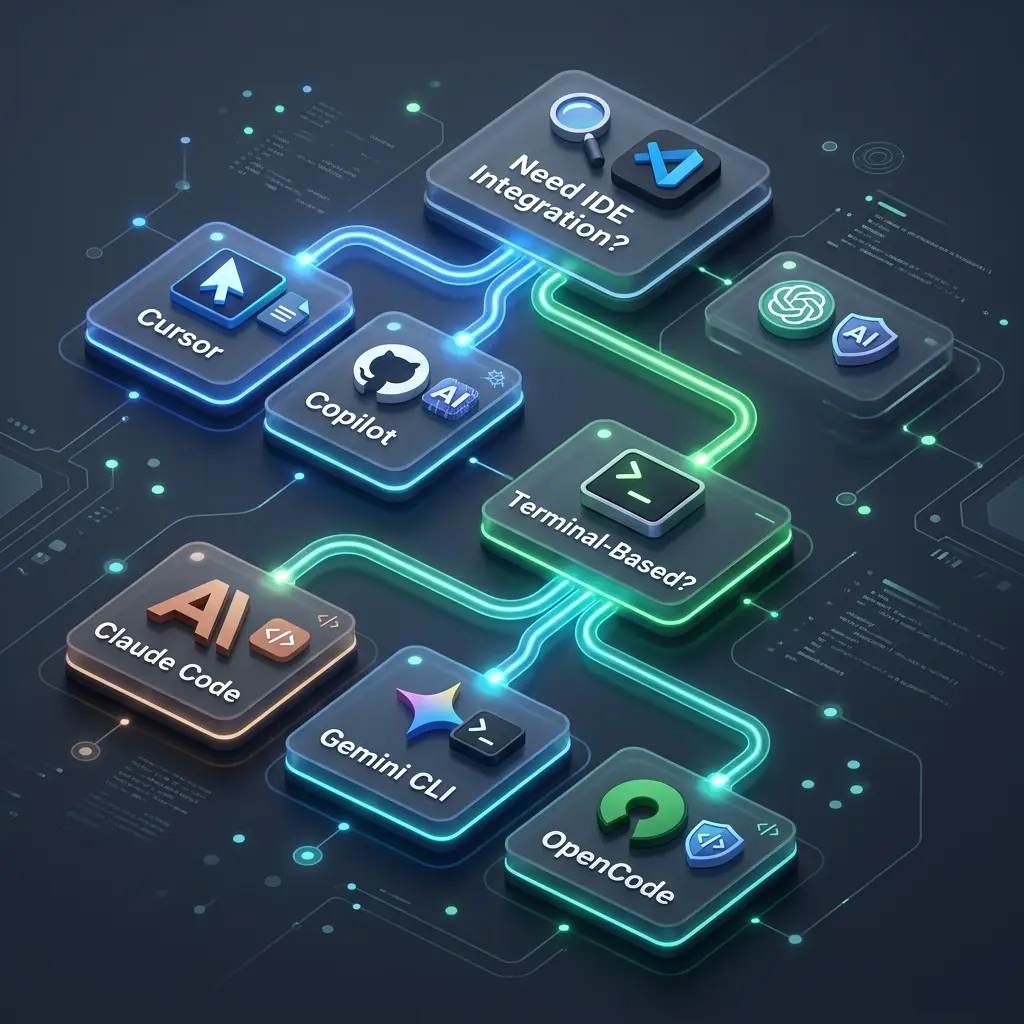
Need IDE integration?
├── Yes → Using Microsoft ecosystem?
│   ├── Yes → GitHub Copilot
│   └── No → Cursor
└── No → Terminal-based
    ├── Need best reasoning?
    │   └── Claude Code
    ├── Need Google integration?
    │   └── Gemini CLI
    ├── Need provider flexibility?
    │   └── OpenCode
    ├── Budget-constrained?
    │   └── OpenCode (DeepSeek) or Gemini CLI (free)
    └── Want a lean minimal harness?
        ├── Want batteries-included (memory, swarms, parallelism)?
        │   └── Jcode
        └── Want a build-it-yourself core?
            └── Pi
Recommended Tool Stack
For the typical full-stack developer:
- Claude Code — Your primary coding agent for complex work
- Cursor (or Copilot) — IDE integration for daily coding
- Gemini CLI — Free 1M context for codebase analysis
- OpenCode — Flexible backup, cost optimization with DeepSeek
Use Claude Code for the hard problems, Cursor for daily coding, Gemini CLI when you need to understand the entire codebase, and OpenCode when you need to switch models or reduce costs.
Related Pages
- Claude Code — Getting started, prompts, configuration
- OpenCode — Multi-provider setup and prompts
- Gemini CLI — Google ecosystem integration
- Cursor — IDE-focused AI coding
- GitHub Copilot — Microsoft ecosystem integration
- Other Tools — Windsurf, Continue.dev, Aider, Cline, Codex CLI
- Jcode — RAM-efficient Rust harness with memory, swarms, self-dev
- Pi Coding Agent — minimal extensible harness (Earendil)
- Claude Code vs Gemini CLI vs OpenCode (Blog) — In-depth CLI tool comparison
- State of AI Code Assistants 2026 (Blog) — Market overview and trends
Related Articles & Guides
AI Coding Tools — Prompt Engineering & Configuration
Complete guides for Claude Code, OpenCode, Gemini CLI, Cursor, GitHub Copilot, and more. Tool-specific prompt patterns, configuration files, and setup guides for every major AI coding assistant.
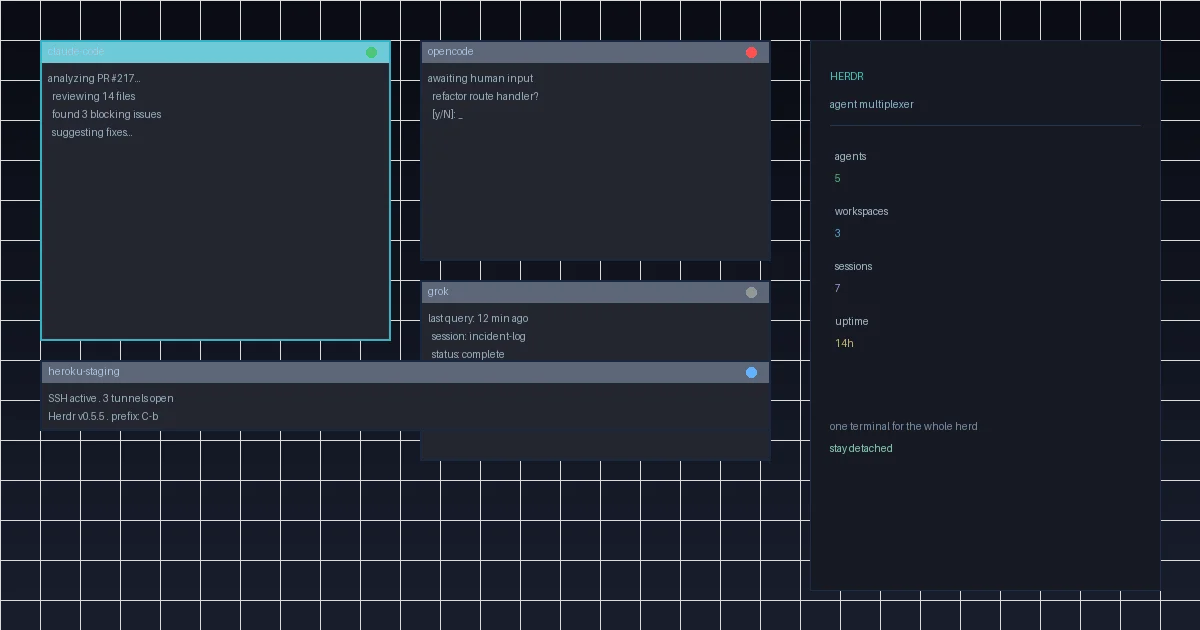 #herdr
Herdr Gave Me One Terminal for the Whole Herd — and I'm Not Going Back to tmux
Herdr is a new open-source agent multiplexer that brings tmux-like persistence together with real-time agent state awareness. No Electron, no web dashboard, just a Rust binary that lives in your terminal. Here's why it's the first tool in months that's genuinely changed how I work with AI coding agents.
Building a Token Usage Tracker Plugin for OpenCode
Step-by-step guide to building an OpenCode plugin that tracks token usage per provider, reports session stats, and learns quota limits from rate-limit errors.