OpenCode Configuration Loop with Hermes Autonomous Agent
OpenCode configures Hermes for autonomous execution, reviews the output, and adjusts the config. An iterative two-agent workflow for long-running tasks.
OpenCode Configuration Loop with Hermes Autonomous Agent
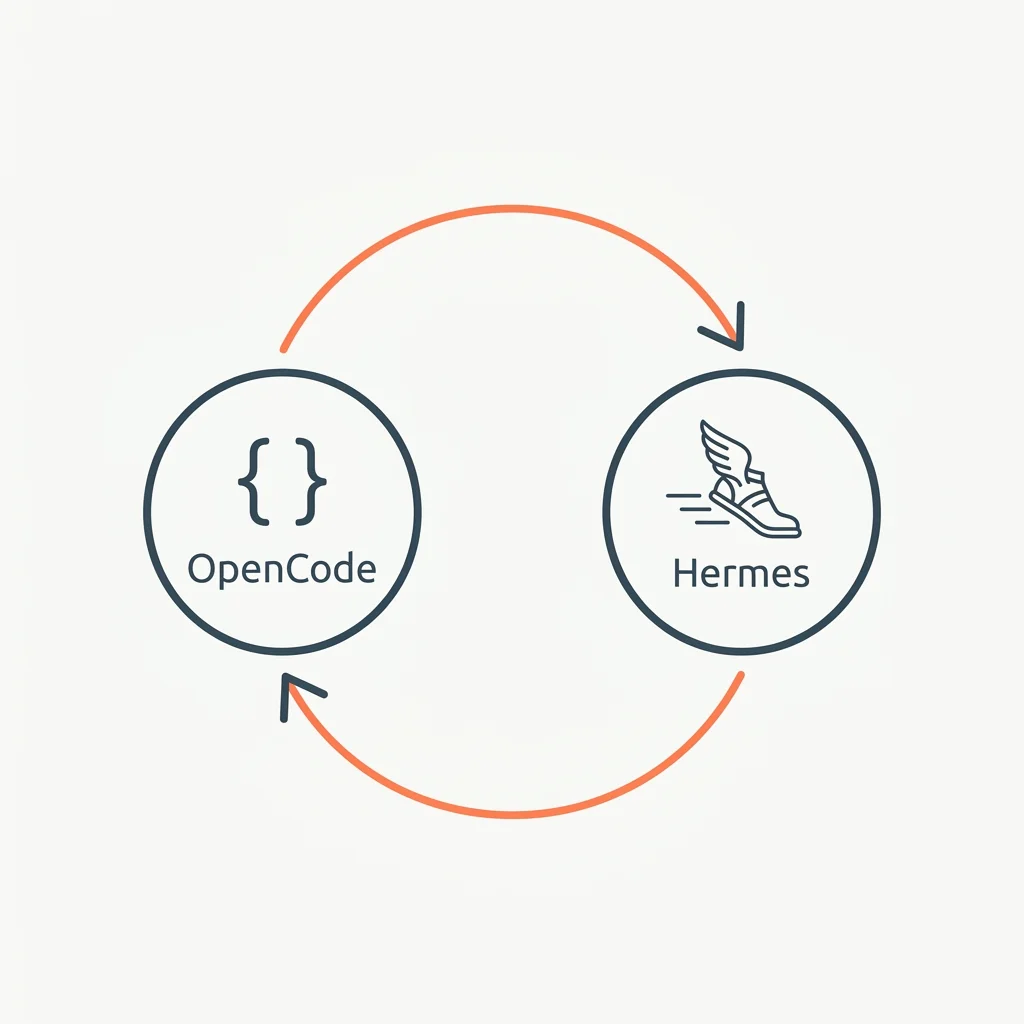
Hermes handles long-running autonomous tasks well, but its output often needs review, cleanup, and reconfiguration. OpenCode excels at configuration, multi-provider switching, and code review — but has no autonomous agent mode.
This pattern creates an iterative loop: OpenCode configures Hermes → Hermes runs autonomously → OpenCode reviews the output → adjusts the configuration → repeats.
Overview
The loop has four phases:
- Configure — OpenCode writes or updates Hermes' task configuration (instructions, tools, constraints)
- Run — Hermes executes the task autonomously, producing a result
- Review — OpenCode examines the output for correctness, completeness, and quality
- Adjust — OpenCode updates the configuration based on what went wrong, then the loop repeats
The key insight: Hermes is the worker, OpenCode is the manager. The manager doesn't do the work — it configures, reviews, and improves the worker's setup.
Key Features
- Separates configuration (OpenCode) from execution (Hermes) — each tool does what it's best at
- OpenCode's multi-provider capability means you can use different models for configuration vs review (e.g. Claude for review, DeepSeek for generating config updates)
- The iterative loop improves output quality across runs — later runs have better configuration
- Works for any task Hermes can handle: code generation, data processing, research, documentation
- The loop naturally converges: each iteration produces fewer issues for OpenCode to fix
Installation & Setup
Prerequisites
OpenCode:
npm install -g opencode
opencode provider add anthropic
opencode provider add deepseek
Hermes Agent:
# Hermes CLI: check official docs for the latest install method
pip install hermes-agent
hermes init
Configuration
Hermes needs a task configuration file. OpenCode generates and manages this:
hermes_config.yaml
# Generated and managed by OpenCode
# Last updated: 2026-06-19 by OpenCode review pass

task: "refactor-authentication-module"
description: "Refactor the auth module to use JWT instead of session tokens"
constraints:
  - "Maintain backward compatibility with existing API"
  - "Add tests for all new code paths"
  - "Document any breaking changes"
tools:
  - read_file
  - write_file
  - execute_command
  - search_codebase
max_iterations: 20
review_policy: "auto-commit"
Available Tools/Resources
| Tool | Role in Pattern | Strength |
|---|---|---|
| OpenCode AGENTS.md | Defines the review criteria and config patterns | Multi-provider for different review passes |
| Hermes task config | Defines the autonomous task | Long-running, self-directed execution |
OpenCode bash tool | Invokes Hermes | Subprocess management |
| OpenCode provider switching | Different models for config vs review | Claude for review, DeepSeek for config |
Configuration Example
OpenCode session: Review and Reconfigure
OpenCode reviews Hermes' output and updates the config for the next run:
# 1. Review the output
hermes output --task refactor-authentication-module

# 2. Analyze what went wrong (Claude model for high-quality review)
# OpenCode reviews the output, identifies issues:
# - JWT token refresh not implemented
# - Missing edge case tests
# - Documentation incomplete

# 3. Update the config (switch to DeepSeek for cheap config generation)
# OpenCode updates hermes_config.yaml with new constraints:
# - Add token refresh implementation
# - Add edge case test templates
# - Add documentation sections needed

# 4. Re-run Hermes with updated config
hermes run --config hermes_config.yaml
When to use
- Tasks that need multiple iterations to get right
- When autonomous execution quality depends on good initial configuration
- When you want to optimize across cost tiers (Claude for review, DeepSeek for config)
- Tasks that are too complex for a single autonomous run but too repetitive to do manually
Common Use Cases
Code Generation & Refactoring
Hermes generates the initial implementation. OpenCode reviews for correctness, style, and edge cases. The config is updated and Hermes re-runs. Usually 2-3 iterations to completion.
Bug Fixing with Root Cause Analysis
OpenCode configures Hermes with bug reproduction steps and the codebase context. Hermes searches, identifies the root cause, and proposes a fix. OpenCode reviews the proposed fix for unintended side effects. Repeat until the fix is clean.
Documentation Generation
Hermes generates documentation from the codebase. OpenCode reviews for accuracy, completeness, and tone. The config is updated with examples of what good documentation looks like. Hermes re-generates. Converges in 1-2 iterations.
Best Practices
Security Considerations
- Hermes runs with the same shell permissions as the user. Limit its tool access in the config to only what's needed.
- OpenCode should never share API keys or secrets with Hermes via config files.
- Review Hermes' file writes before committing — the loop improves quality but never fully trust autonomous output.
Performance Optimization
- Start with a narrow scope and expand. Hermes works better on focused tasks.
- Limit
max_iterationsto prevent infinite loops. Start at 10-15 for most tasks. - Use DeepSeek (OpenCode) for generating config updates — it's 95% cheaper than Claude and the config syntax is simple enough.
Troubleshooting
Hermes gets stuck or loops
The max_iterations config field is the hard stop. If Hermes repeatedly hits the limit without completing, the task is too broad — break it into smaller sub-tasks.
OpenCode review finds the same issue across iterations
Update the constraints section in the config to explicitly forbid the recurring issue. Be specific — "avoid nested callbacks" works better than "write clean code."
Config changes don't improve output
The review pass isn't specific enough. Instead of "improve error handling," write "add try/catch blocks around all database operations with specific error messages."
Related Integrations
- Driving Gemini with Ralph Loops — Alternative pattern using Claude + Gemini instead of OpenCode + Hermes
- Claude Hooks + DeepSeek API — For automated sub-task generation using Claude hooks
- OpenCode Multi-Provider — The provider switching strategy that makes this pattern cost-effective
Related Articles & Guides
Building a Token Usage Tracker Plugin for OpenCode
Step-by-step guide to building an OpenCode plugin that tracks token usage per provider, reports session stats, and learns quota limits from rate-limit errors.
OpenCode Session History & Recovery
Where OpenCode stores session history, and how to query the SQLite database to recover past work, trace tool calls, find regressions, and audit model costs.
DeepSeek Harness Providers & Keys
Connect model providers to DeepSeek Harness. Add catalog or custom providers, configure settings.yaml, and wire in OpenCode Zen/Go API keys via the opencode-go route.