Claude Driving Gemini CLI with Ralph Loop Verification
Claude designs the approach, Gemini CLI executes with iterative self-verification via the Ralph loop. Split reasoning from execution across tools.
Claude Driving Gemini CLI with Ralph Loop Verification
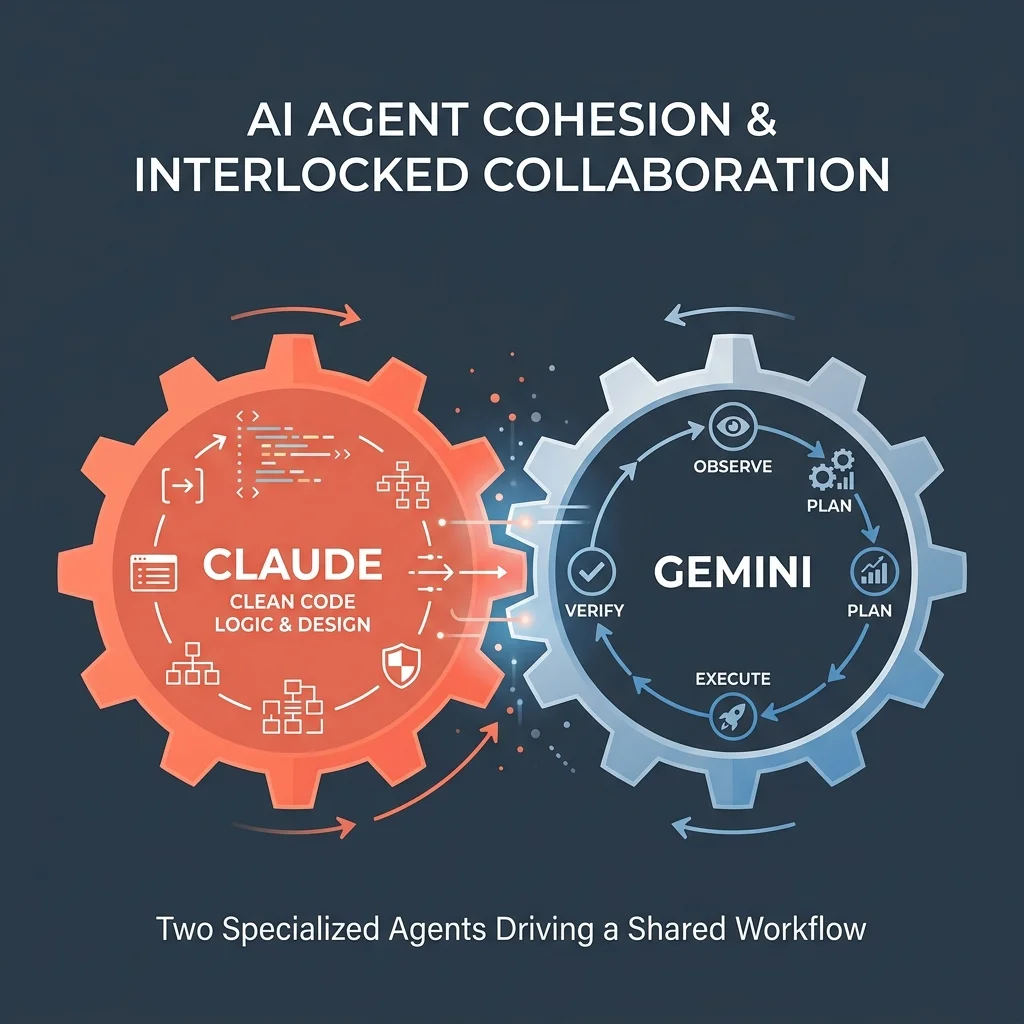
Claude Code has the strongest reasoning and extended thinking, but no built-in Ralph loop for iterative self-verification. Gemini CLI has the Ralph loop — Observe, Plan, Execute, Verify — but its instruction following and tool-use are weaker.
This pattern uses Claude to design the approach and Gemini to execute it with Ralph loop verification. Claude is the conductor. Gemini does the work.
Overview
The pattern splits a task into two roles:
- Claude Code — Designs the approach, writes the prompt, invokes agy (or Gemini CLI) via bash, reviews the output, iterates
- Gemini CLI / agy — Receives the task, runs it through the Ralph loop (Observe → Plan → Execute → Verify), returns the result
The key insight: Claude excels at designing a task and reviewing the output. Gemini excels at executing large-context tasks with iterative self-verification. This pattern gets both benefits.
Key Features
- Combines Claude's reasoning quality with Gemini's Ralph loop verification
- Claude writes targeted prompts that leverage Gemini's 1M context window
- Gemini's Verify step catches errors Claude might miss on review
- The loop is cheaper than running everything through Claude — Gemini's free tier handles the execution
- Works for any task type: code review, refactoring, research, documentation
Installation & Setup
Prerequisites
Both tools must be installed and configured:
Claude Code:
npm install -g @anthropic-ai/claude-code
export ANTHROPIC_API_KEY=sk-ant-...
Gemini CLI / Antigravity CLI:
# Gemini CLI (deprecated for consumers as of June 18, 2026)
# For consumer users, migrate to Antigravity CLI:
curl -fsSL https://antigravity.google/cli/install.sh | bash
# Binary is 'agy', not 'antigravity'

# Enterprise users: Gemini CLI continues to work
npm install -g @google/gemini-cli
gcloud auth login
Configuration
No special configuration is needed for the basic pattern. Claude invokes agy (or Gemini CLI) via the bash tool. Optionally, add a shortcut in your CLAUDE.md:
CLAUDE.md
## Gemini / Antigravity Ralph Loop

When using Gemini CLI or Antigravity CLI (agy) for sub-tasks:
- Use `--loop` flag to engage the Ralph loop
- Use `--model` to select the model (default: gemini-2.5-pro)
- Always include the `--output-format json` flag for structured output
- Verify output before integrating it
Available Tools/Resources
| Tool | Role | Strength |
|---|---|---|
Claude bash tool | Invokes Gemini/agy CLI | Reliable subprocess execution |
agy --loop flag | Engages Ralph loop | 4-step iterative verification |
agy --model flag | Select model | gemini-2.5-pro for complex, gemini-2.5-flash for fast |
agy --output-format flag | Structured output | json for parsing, text for reading |
Configuration Example
Claude task prompt for Gemini/Antigravity
Claude writes a targeted prompt, invokes agy (or Gemini CLI), and reviews:
# Gemini CLI (deprecated consumer) or agy (Antigravity CLI)
agy --loop --model gemini-2.5-pro --output-format json \
  "Analyze the following codebase for performance issues: src/ \
   Observe the file structure and dependencies. \
   Plan your analysis approach. \
   Execute by reading each file and identifying bottlenecks. \
   Verify your findings with specific examples."
When to use
- Large codebase analysis (leverage Gemini's 1M context)
- Tasks that benefit from iterative self-verification
- When you want Gemini's Verify step as a second quality gate
- When Claude's API costs matter — Gemini's free tier handles the execution
Common Use Cases
Codebase Analysis
Gemini's 1M context window reads the entire project. Claude designs the analysis framework. Gemini executes with Ralph loop verification.
Multi-Step Refactoring
Claude plans the refactoring strategy across files. Gemini executes each step with Observe → Plan → Execute → Verify, ensuring each change is correct before moving on.
Research & Documentation
Claude designs the documentation structure. Gemini generates the initial draft from the full codebase. Claude reviews and refines.
Cross-Language Translation
Claude designs the translation strategy (idiomatic equivalents, patterns to preserve). Gemini handles the volume of the translation with Ralph loop verification to catch semantic drift.
Best Practices
Security Considerations
- Gemini CLI runs with the same permissions as the user. Sandbox mode (
--sandbox isolated) is recommended for untrusted tasks. - When reviewing Gemini output, Claude should verify before integrating — the Ralph loop catches some errors but not all.
- Never pipe API keys or secrets into Gemini prompts.
Performance Optimization
- Use
gemini-2.5-flashfor fast iterations, escalate togemini-2.5-prowhen quality matters - JSON output format (
--output-format json) makes parsing the result in Claude's review step easier - When Gemini's Ralph loop gets stuck in a cycle, Claude can kill the process and re-prompt with a different approach
Troubleshooting
Gemini doesn't respond or times out
Set a timeout on the bash invocation in Claude:
timeout 120 agy --loop "task description"
Ralph loop goes in circles
The Ralph loop can get stuck repeating the same verify-and-replan cycle. Claude should detect this pattern and re-prompt with explicit exit conditions.
Output format mismatch
When using --output-format json, Gemini may still wrap output in markdown code fences. Claude should strip these before parsing.
Related Integrations
- Hooks + DeepSeek API — Use Claude hooks for bulk generation at lower cost
- Hermes Cleanup Loop — Complement with an autonomous agent loop
- OpenCode Multi-Provider — Switch between providers mid-session for different task types
Related Articles & Guides
CLI-First Development with Antigravity Image Pipeline
Use fast CLI tools for all coding, then switch to Antigravity for Nano Banana image generation. Both under one Google AI Pro plan with no per-image fees.
CLI-First Antigravity Image Pipeline
Build sites with fast CLI tools, generate images in Antigravity with Nano Banana, and compress to WebP with cwebp. All under one Google AI Pro plan.
Multi-Model Workflows with OpenCode
Learn to switch between Gemini, GLM, DeepSeek, and MiniMax mid-session in OpenCode. Match each provider to task type and cut costs without sacrificing quality.